To Submit a Deal:
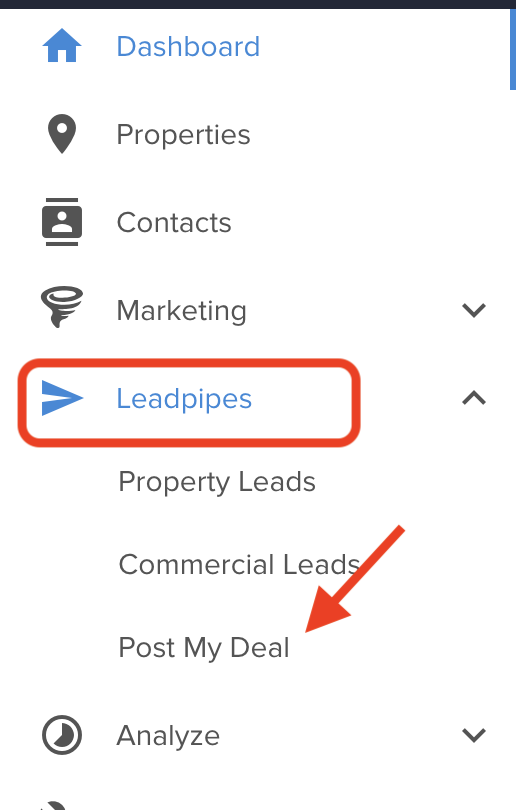
From the Left Navigation tool bar, Click on LEADPIPES > POST MY DEAL
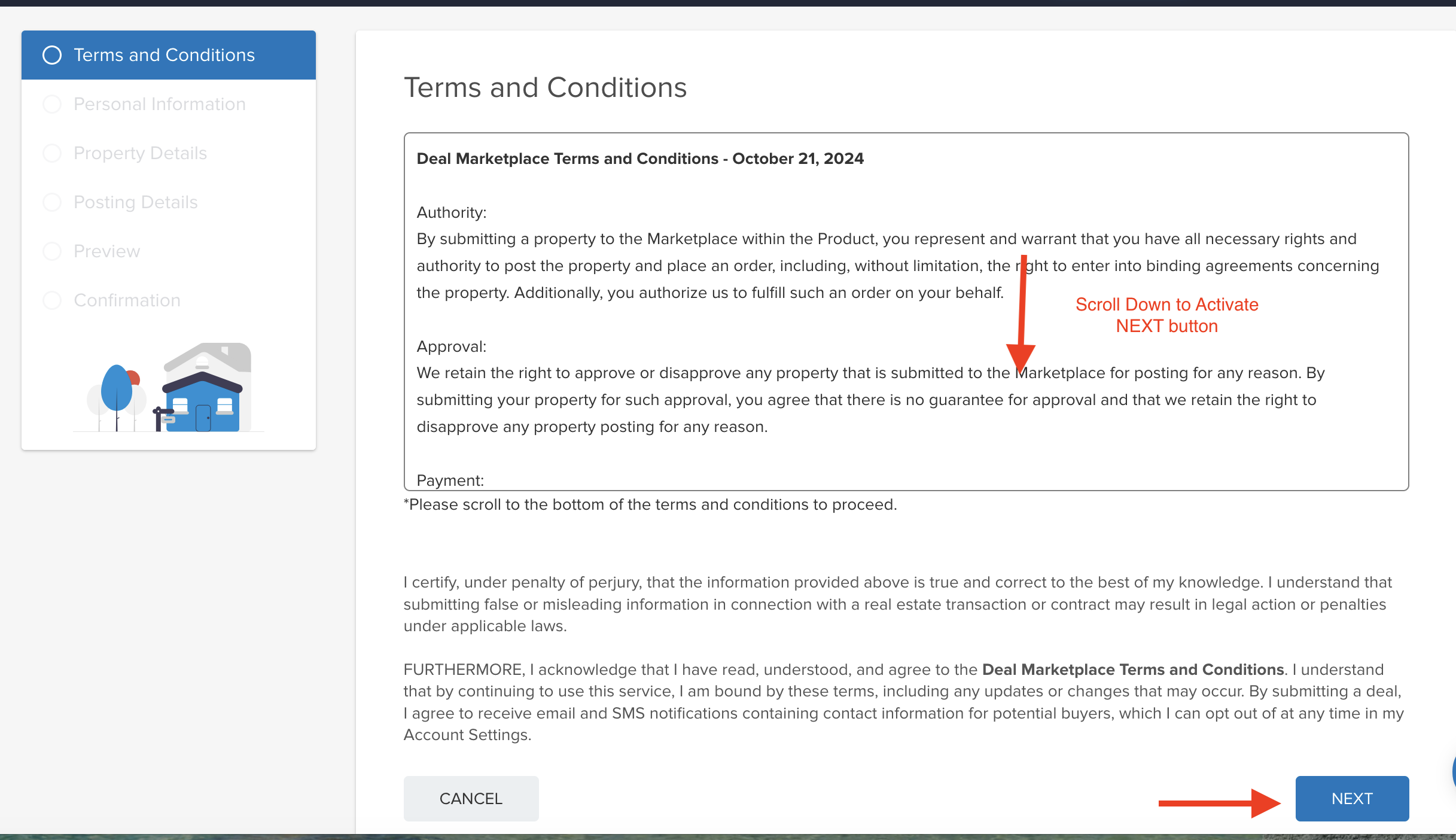
Read Through and Agree to the Terms and Conditions.
Please Note: The NEXT button will be active when you scroll to the bottom of the Terms and Conditions
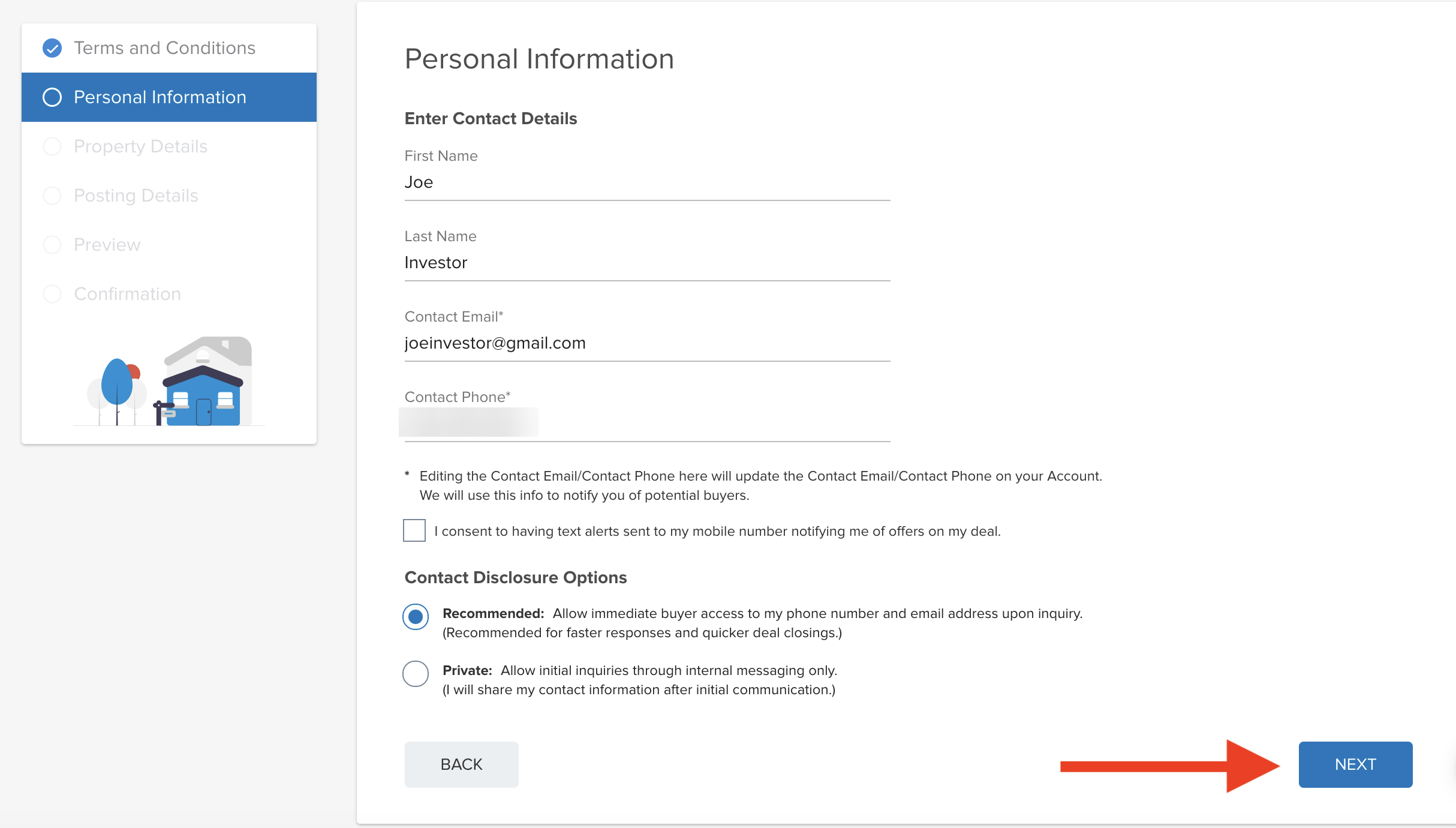
Complete the Contact Details fields:
A couple of things to Note with the Contact Details
- These are the details used to contact you about the Submission.
- Editing the Contact Email here will update the Contact Email on your Account. You'll be notified of potential buyers at this email address.
Select if you would like to have text alerts sent to your mobile number notifying you of offers on your deal.
Choose the Contact Disclosure Option: This is how you can be can be contacted when a potential Buyer is interested in your Deal.
- Recommended: Allow immediate buyer access to my phone number and email address upon inquiry.
(Recommended for faster responses and quicker deal closings.)
- Private: Allow initial inquiries through internal messaging only.
(I will share my contact information after initial communication.)
Click on NEXT
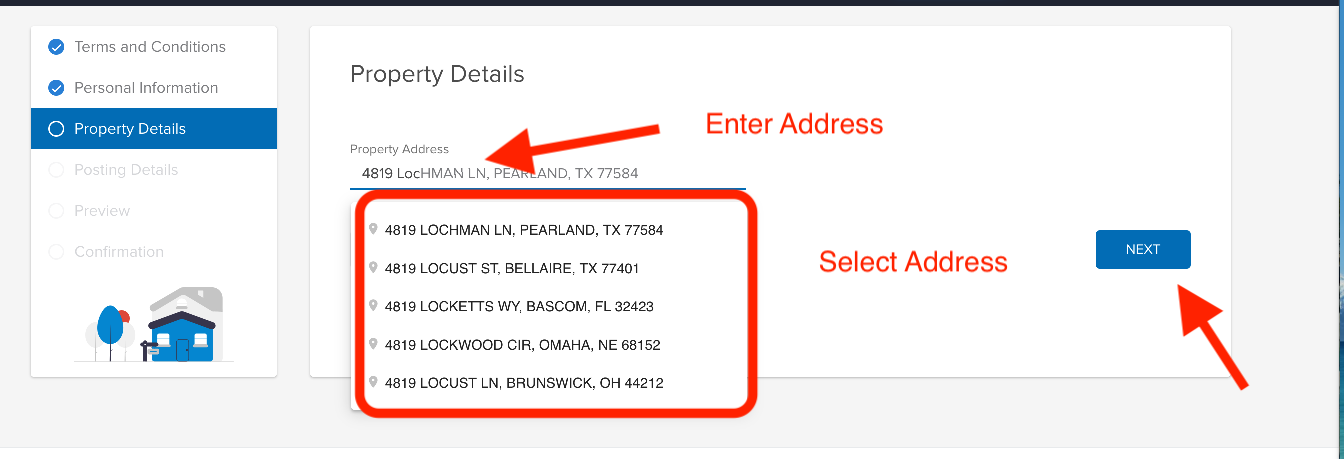
Enter the Property Address
- When you begin to enter the property address, you should see it appear just below where you are typing. Click on the address that appears.
Click NEXT
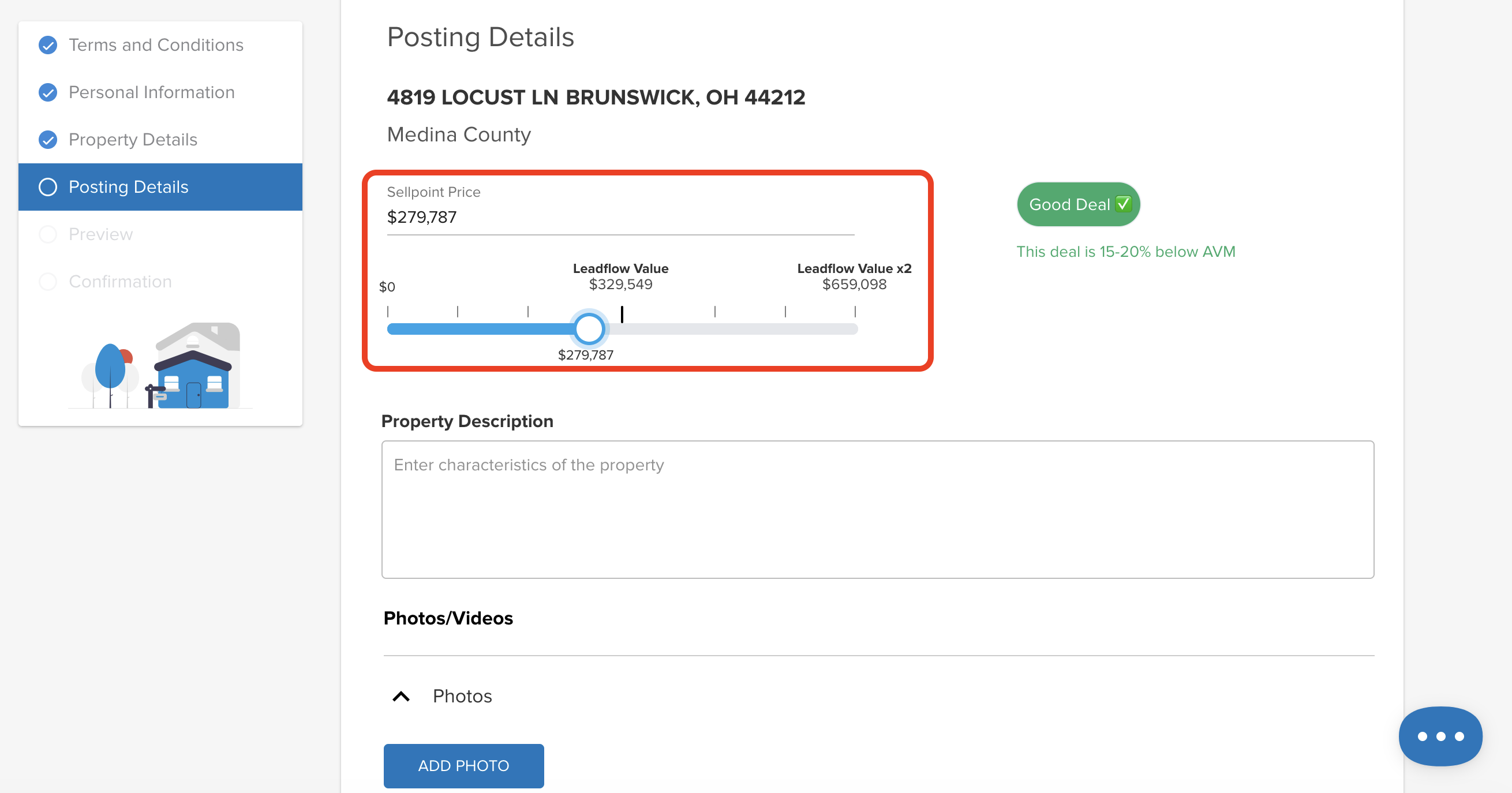
Enter the POSTING DETAILS
Sellpoint Price - this is the List Price
- You can either Enter the Asking Price in the 'Sellpoint Price' field, or used the Slider below.
Enter a Property Description
You can also add:
- Photos
- Videos
- Additional Links
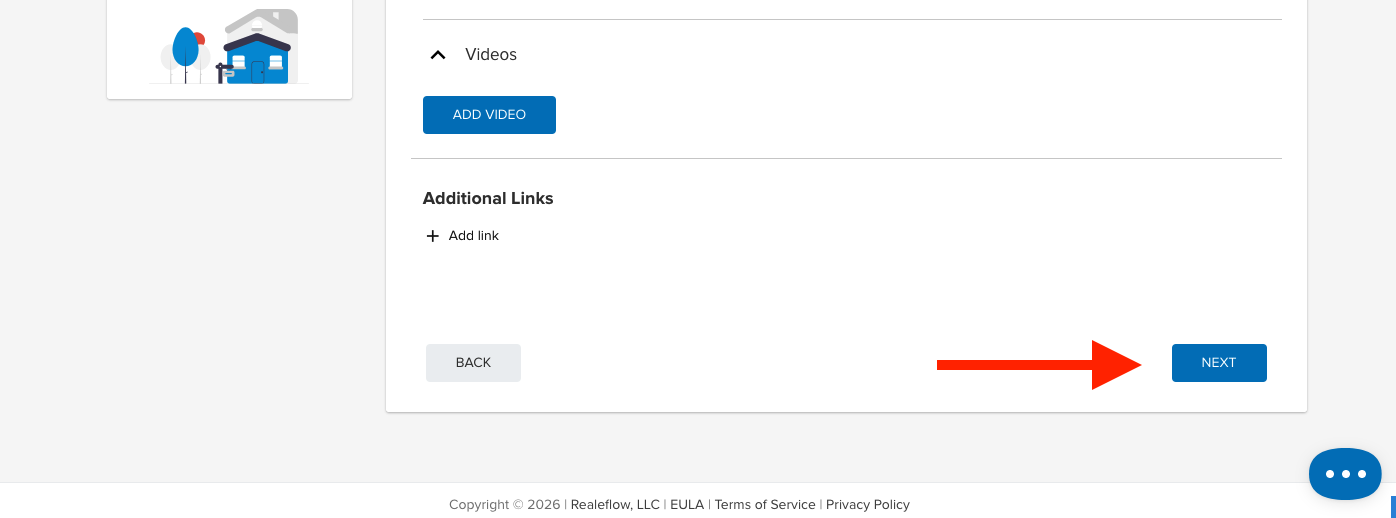
Click NEXT.
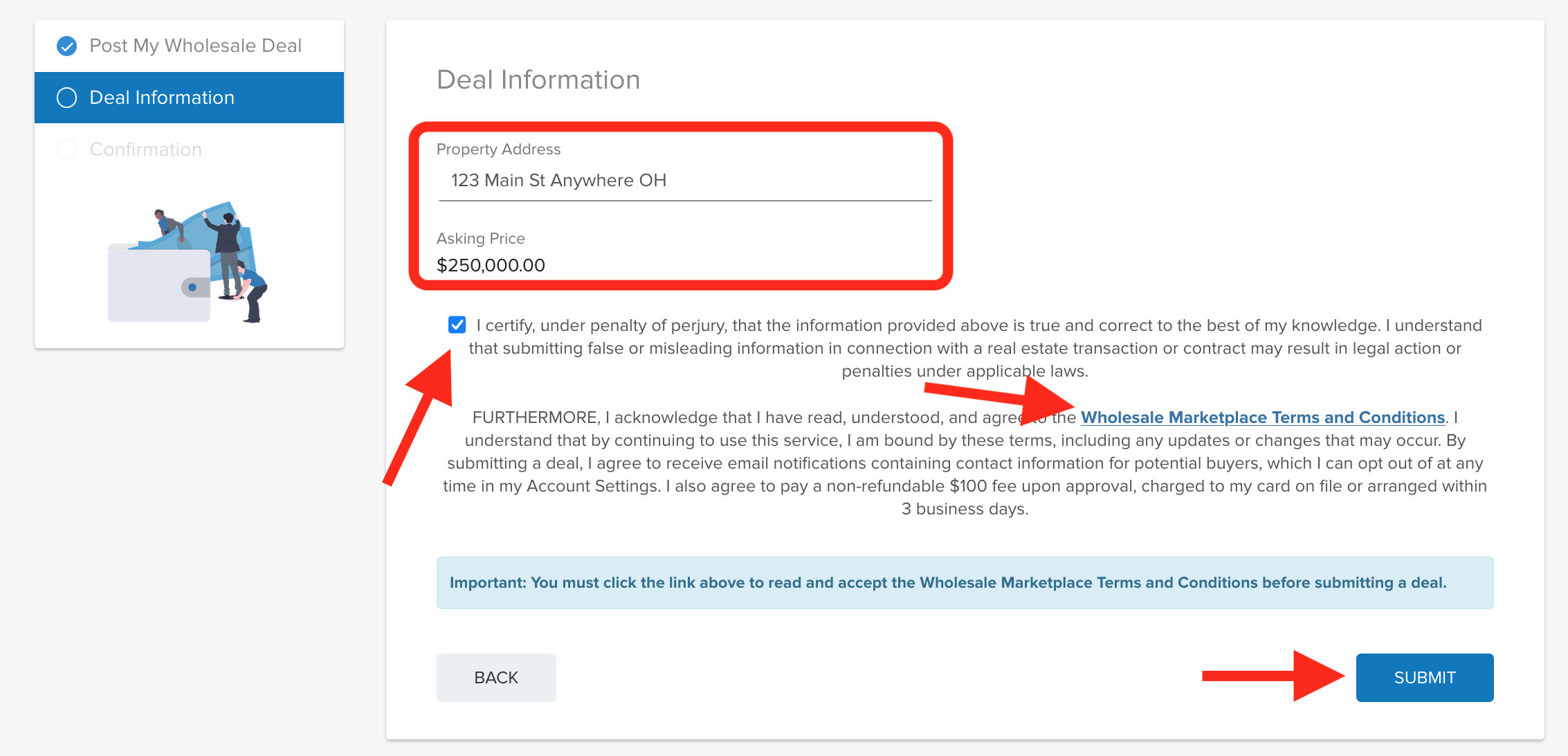
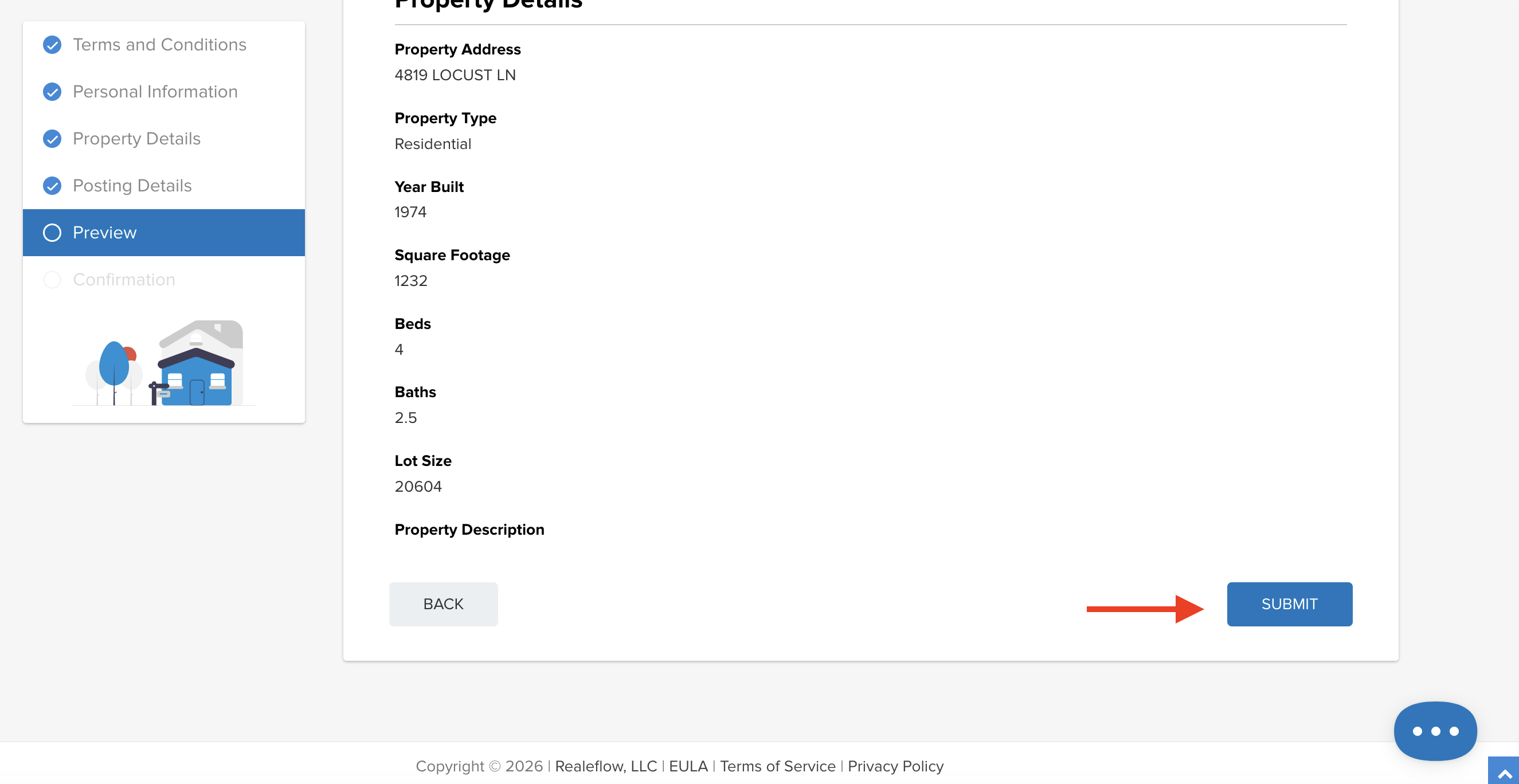
PREVIEW the Details:
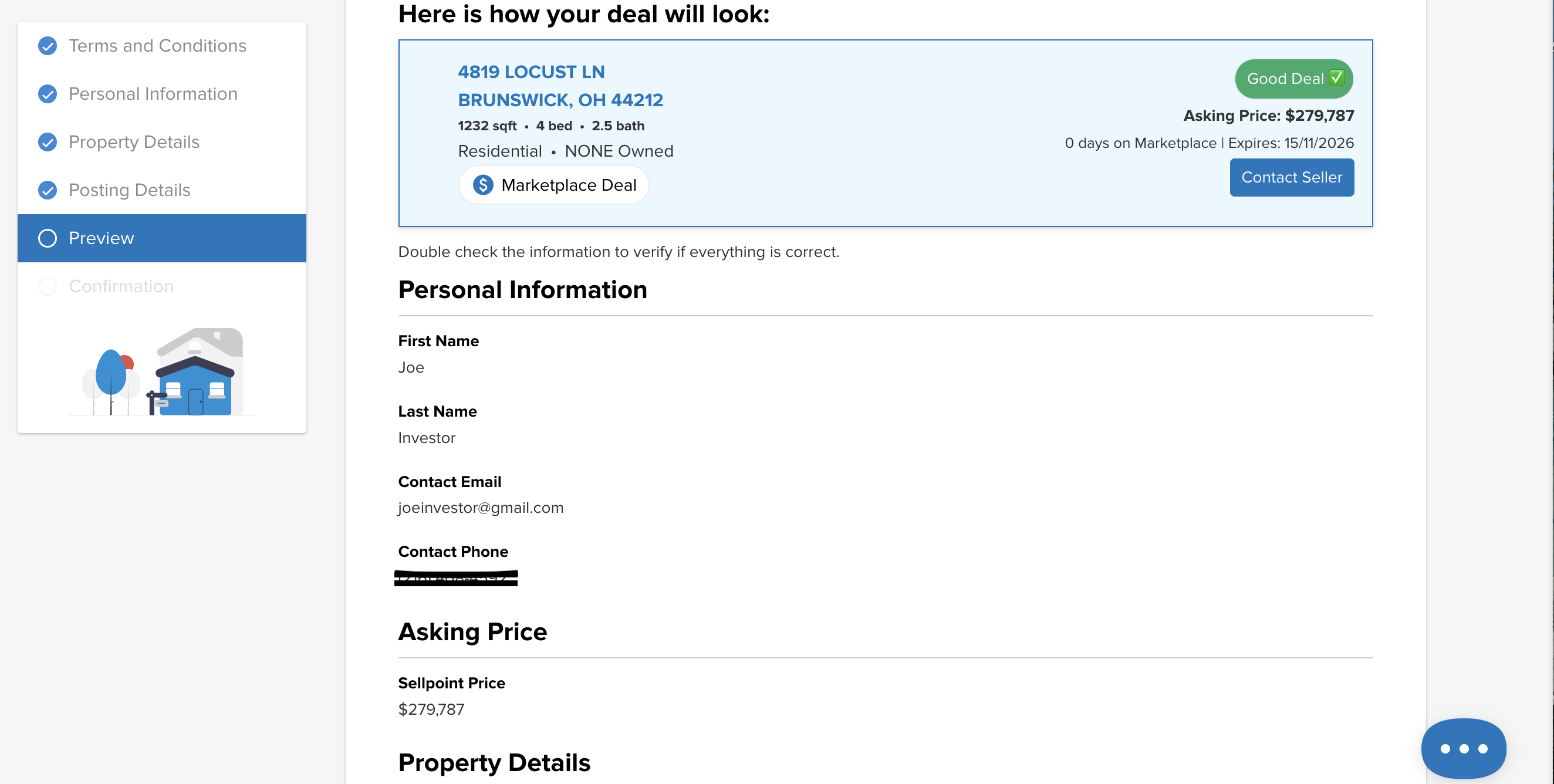
This will allow you to Preview the details of the POST.
- Please double check the information to verify if everything is correct.
Click SUBMIT
- You may have to scroll down to see the SUBMIT button. It will be on the bottom right.
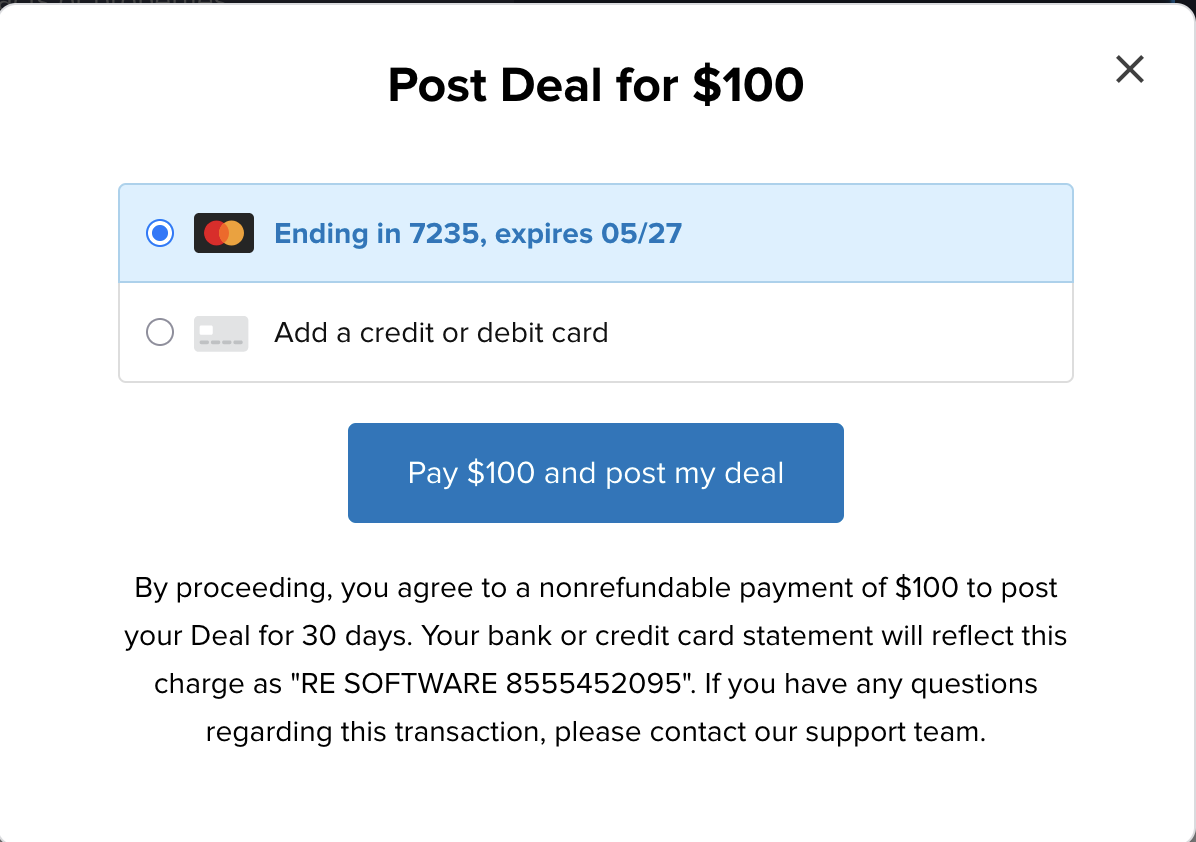
Select or 'Add' a CC to use for the Post.
Click on 'Pay $100 and post my deal'
Then what happens?
The property will Live on the Deal Marketplace, it will display at the top of the LeadPipes list when others are searching for leads in the State the property is located in.
When someone is interested in your deal, they can click on ‘CONTACT SELLER’, which will send you an Internal Message. If you have the Recommended Contact Disclosure Option selected, this allow immediate access to your phone number and email address upon inquiry.
The Internal Message will be found in the ‘BELL’ icon in the top right hand portion of your screen.
Please Note: When you receive an Internal Message, an Email Notification will automatically be sent to the Email address on File

Josh Tobias